
AutoDock Vina Tutorial for Beginners (Step by Step)
Molecular docking sounds intimidating until you run your first job. Then you realise it is a handful of well-defined steps you can repeat for any protein-ligand pair. AutoDock Vina is where most students start, because it is free, fast, and well documented.
An AutoDock Vina docking run has four core steps: prepare the protein and ligand as PDBQT files, define a 3D search box (the grid) around the binding site, run Vina with a configuration file, and read the output binding affinities in kcal/mol, where the most negative score is the best-predicted pose. The whole workflow runs on a normal laptop in minutes.
This tutorial walks you through each step in order, explains what every setting does, and shows you how to read the result so the number on your screen actually means something. It is part of our pillar guide on how to learn molecular docking, and a natural next stop on the computational biology skills roadmap.
What is AutoDock Vina, and why start here?
AutoDock Vina is an open-source program that predicts how a small molecule (a ligand) binds to a protein and estimates how strongly. It was introduced by Oleg Trott and Arthur J. Olson at the Scripps Research Institute in their 2010 paper “AutoDock Vina: improving the speed and accuracy of docking with a new scoring function, efficient optimization, and multithreading” (Journal of Computational Chemistry, 31(2):455-461).
It is the default choice for beginners for three reasons. First, it is genuinely fast. The original paper reports that Vina “achieves an approximately two orders of magnitude speed-up compared with the molecular docking software previously developed in our lab (AutoDock 4), while also significantly improving the accuracy of the binding mode predictions.” Second, the input is forgiving, you supply a configuration file and Vina handles the search internally. Third, it is one of the most widely cited tools in the field, so almost every problem you hit has already been answered somewhere online or in the official Vina documentation.
What do I need installed before I start?
You need three things: AutoDock Vina itself (download the binary from the official site, no compilation required), a tool to prepare PDBQT files such as AutoDockTools (ADT) or Meeko, and a molecular viewer like PyMOL or the free UCSF Chimera to inspect your structures. None of these requires a paid licence for academic use.
How do I prepare the protein and ligand files?
Docking does not read ordinary PDB files. Vina uses the PDBQT format, which is a PDB file with two extra pieces of information per atom: partial charges (the “Q”) and AutoDock atom types (the “T”). Preparing both molecules correctly is the step where most beginner runs go wrong, so take it slowly.
- Get the structures. Download the protein from the RCSB Protein Data Bank as a PDB file. Get your ligand from a database like PubChem, or extract a co-crystallised ligand from the PDB structure itself.
- Clean the protein. Remove water molecules, any co-crystallised ligands you are not docking, and ions you do not need. Add hydrogen atoms, because crystal structures usually omit them.
- Convert the protein to PDBQT. In AutoDockTools this adds polar hydrogens, assigns Gasteiger charges, and merges non-polar hydrogens, producing
receptor.pdbqt. The receptor is treated as rigid by default. - Prepare the ligand. Add hydrogens, assign charges, and define which bonds are rotatable (these are the torsions Vina will explore). Save it as
ligand.pdbqt.
If you are working with Vina 1.2, the developers now recommend the Meeko toolkit for ligand preparation; the classic prepare_receptor and prepare_ligand scripts from AutoDockTools still work and are widely taught.
Want the guided, hands-on version?
Our live Molecular Modeling & MD Simulations cohort bootcamp takes you from zero to running real docking and MD workflows, with a portfolio project for your grad-school applications.
How do I set the grid box (the search space)?
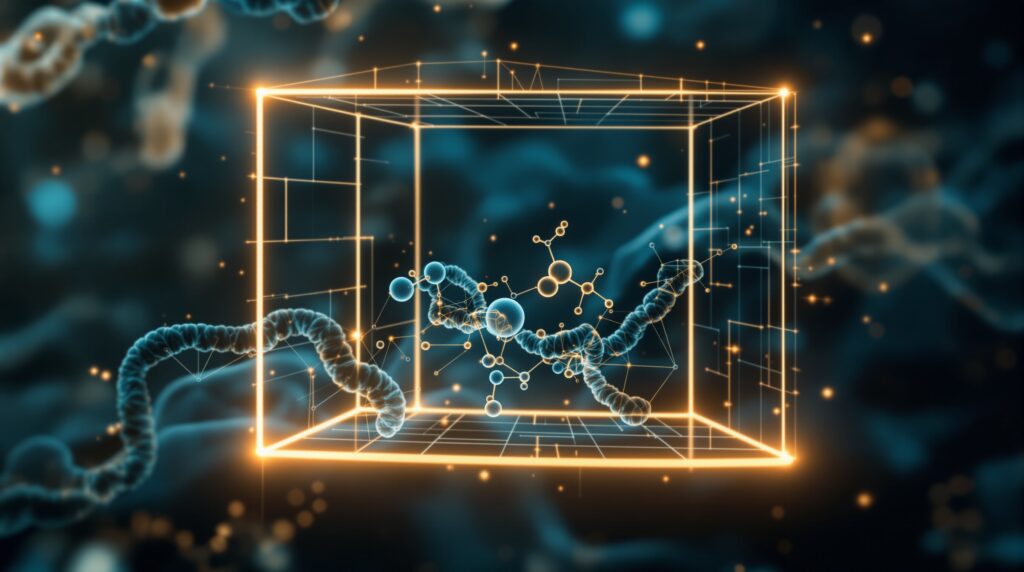
The grid box is a 3D rectangular region that tells Vina where on the protein to search. Vina only looks for binding poses inside this box, so getting it right is the single most important decision in your run.
The box is defined by six numbers: a centre (center_x, center_y, center_z) in Angstrom coordinates, and a size (size_x, size_y, size_z) that sets how wide the box is along each axis.
- Targeted (site-specific) docking: if you know the binding pocket, for example, from a co-crystallised ligand, centre the box on it and keep it just large enough to enclose the pocket plus a little room for the ligand to move. This is the most reliable approach for beginners.
- Blind docking: if you do not know the site, make the box large enough to cover the whole protein. This is slower and less accurate, so use it only for exploration.
You can read centre coordinates straight from a known ligand in PyMOL, or use the AutoDockTools Grid Box GUI to position the box visually and copy out the numbers. A practical rule of thumb is to keep box dimensions modest, large boxes inflate the search space and degrade pose quality.
How do I run the docking job?
Put all your settings in a plain-text configuration file (conventionally config.txt) so your run is reproducible. A minimal config looks like this:
receptor = receptor.pdbqtligand = ligand.pdbqtcenter_x = 11.0,center_y = 90.5,center_z = 57.8size_x = 20,size_y = 20,size_z = 20exhaustiveness = 8num_modes = 9
The coordinates above are placeholders, use your own pocket centre. Then launch the run from a terminal:
vina --config config.txt --out output.pdbqt --log log.txt
Two settings control the search. Exhaustiveness sets how hard Vina searches; the default is 8, and raising it improves the odds of finding the true global minimum at the cost of time. num_modes sets how many distinct poses Vina reports (default 9). Because the search algorithm is stochastic, results can vary slightly between runs unless you fix the random --seed.
How do I read the binding affinity scores?
When the run finishes, Vina prints a results table and writes the poses to output.pdbqt. The key column is the affinity in kcal/mol. Vina ranks poses from best to worst, so mode 1 is the top-predicted binding pose, and the most negative number represents the strongest predicted binding.
The table also reports RMSD values (rmsd l.b. and rmsd u.b.) that measure how different each lower-ranked pose is from the best one. A cluster of poses with similar low affinities and small RMSDs is a reassuring sign of a consistent prediction.
One caution worth internalising early: the score is an estimate, not a measured binding free energy. Docking is excellent at ranking and pose generation but only approximate at absolute affinity. Treat a strong score as a hypothesis to test, for example, by following up with molecular dynamics or experiment, not as proof of binding.
AutoDock Vina vs AutoDock4: which should a beginner use?
Both come from the same lab, but they differ in speed, setup, and scoring. For learning and for most virtual-screening tasks, Vina is the better starting point.
| Feature | AutoDock Vina | AutoDock4 |
|---|---|---|
| Scoring function | Empirical/knowledge-based hybrid | Physics-based force field |
| Speed | Very fast (multithreaded; ~100x faster per the 2010 paper) | Slower |
| Grid map setup | Automatic (no precomputed maps needed) | Manual grid maps via AutoGrid |
| Ease of use for beginners | High | Moderate |
| Best for | Fast docking, virtual screening, first projects | Detailed energetic analysis |
| File format | PDBQT | PDBQT |
It is worth knowing the tool is actively maintained. The 2021 release described by Jerome Eberhardt, Diogo Santos-Martins, Andreas F. Tillack and Stefano Forli in “AutoDock Vina 1.2.0: New Docking Methods, Expanded Force Field, and Python Bindings” (Journal of Chemical Information and Modeling, 61(8):3891-3898) added multiple ligand docking, a Python API, and an expanded force field, so the skills you build now carry forward.
What are common beginner mistakes to avoid?
- Forgetting hydrogens or charges. A PDBQT file without polar hydrogens and partial charges gives meaningless scores.
- A grid box that misses the pocket. If the box does not enclose the true binding site, Vina cannot find the right pose, no matter how high you set exhaustiveness.
- Boxes that are too large. Oversized boxes dilute the search and reduce accuracy. Keep them targeted.
- Over-trusting a single number. Run a known ligand as a positive control and re-dock it to check your setup reproduces its crystal pose before trusting a new prediction.
Frequently asked questions
Is AutoDock Vina free?
Yes. AutoDock Vina is open-source software released under the Apache licence and free to download and use, including for academic research and coursework.
What does a good Vina binding affinity score look like?
Scores are reported in kcal/mol and more negative means stronger predicted binding. Strong hits often fall in the range of roughly -7 to -10 kcal/mol, but thresholds depend heavily on the target, so always compare against a known reference ligand rather than a fixed cutoff.
What is the difference between docking and molecular dynamics?
Docking quickly predicts a binding pose and an approximate affinity with the protein held mostly rigid. Molecular dynamics simulates the full system in motion over time to study stability and flexibility. They are complementary, docking generates the hypothesis, MD stress-tests it.
Why do I get slightly different results each time I run Vina?
Vina’s search is stochastic, so independent runs can return slightly different poses and scores. Set a fixed --seed for reproducibility, or run several times and look for a consistent top pose.
Can I dock many ligands at once for virtual screening?
Yes. You loop Vina over a library of prepared ligand PDBQT files, keep the same receptor and grid box, and rank the results by top affinity. This is the standard structure-based virtual screening workflow, and AutoDock Vina 1.2.0 also supports docking multiple ligands together.
Your next step
The fastest way to learn docking is to run it on a real target end to end, then have someone check your setup. Pick a protein-ligand complex from the PDB, re-dock the native ligand as a control, and confirm Vina reproduces the crystal pose. Once that clicks, every new target is just a repeat of the same four steps.
For the full learning path and the methods that build on docking, work through our molecular docking pillar guide and the broader computational biology skills roadmap.
Want the guided, hands-on version?
Our live Molecular Modeling & MD Simulations cohort bootcamp takes you from zero to running real docking and MD workflows, with a portfolio project for your grad-school applications.
Written by the StemSkills Lab team, computational scientists with 10+ years of combined experience in sequence and structural bioinformatics, drug discovery and design, and multiscale molecular modeling.