
How to Set Up a Membrane Protein MD Simulation with CHARMM-GUI and GROMACS
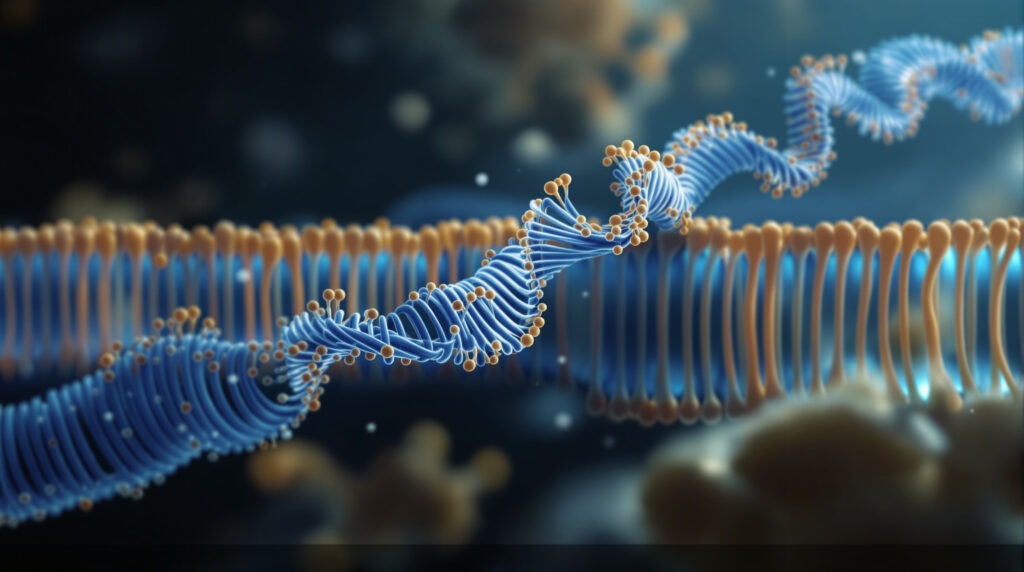
Every GROMACS tutorial on this blog so far has assumed the same thing: a soluble protein, dropped in a box, surrounded by water. Run pdb2gmx, define the box with editconf, solvate, add ions, minimise, equilibrate. That chain works beautifully right up until you pick a GPCR, a transporter or an ion channel, which is exactly what a large share of MSc theses target. Then it breaks, because none of those steps knows how to build a lipid bilayer.
Answer: To set up a membrane protein MD simulation, take a pre-oriented structure from the OPM database, build the protein-in-bilayer system with CHARMM-GUI Membrane Builder using CHARMM36m and GROMACS output format, then run the supplied minimisation and six equilibration inputs in order before production. Do not rerun pdb2gmx, editconf or solvate.
Why can’t you build a membrane protein the way you build a soluble one?
Because the standard chain has no concept of a lipid. gmx solvate fills empty space with water molecules. It will happily fill the entire box with water, including the region where your bilayer should be, and it has no way to pack roughly 100 lipids per leaflet around an irregular protein surface without leaving voids or driving tails through aromatic rings.
There is a second, subtler problem. A soluble protein can sit anywhere in the box at any angle. A membrane protein cannot. Its transmembrane region has to be aligned along the membrane normal, with the hydrophobic belt sitting inside the hydrophobic core of the bilayer and the polar loops sticking out into water. Get the tilt wrong by 20 degrees and you have buried charged residues in lipid tails, which the simulation will then spend nanoseconds trying to fix by deforming your membrane.
So membrane setup is two separate problems: orient the protein correctly, then pack lipids around it. CHARMM-GUI Membrane Builder solves both, which is why it is the standard route rather than a shortcut.
Where do you get a correctly oriented structure?
Start at the OPM database, not at RCSB. OPM (Orientations of Proteins in Membranes) stores membrane proteins already positioned in an implicit bilayer, with the membrane boundaries calculated and the bilayer centre placed at z = 0. That means the orientation problem is solved before you open CHARMM-GUI at all.
OPM is maintained at the University of Michigan and currently holds more than 1,200 transmembrane and peripheral proteins and peptides from roughly 350 organisms, representing about 3,800 Protein Data Bank entries, with positions optimised by the PPM method. The reference to cite is Lomize et al., Nucleic Acids Research 2012, 40(D1):D370.
Practical rule: search OPM for your PDB ID first. If it is there, download the OPM coordinate file and use that as your CHARMM-GUI input. If your target is not in OPM, or you are working from a homology model or an AlphaFold model, let Membrane Builder run PPM on your uploaded structure to orient it. Either way, do not skip the orientation step and do not assume a raw RCSB file is aligned. It usually is not.
How do you build the system in CHARMM-GUI Membrane Builder?
Membrane Builder lives at charmm-gui.org and is free for academic use, though it does require a registered account. The workflow is a linear sequence of pages, and each one has to finish before the next becomes available. Budget 20 to 40 minutes of wall-clock time for a first system, most of it waiting.
- Read in your structure. Supply the PDB ID, or upload the OPM file or your own model. Select which chains and hetero groups to keep. Crystallographic waters, detergent molecules and lipids left over from the structure determination are usually removed here.
- Orient the protein. If you brought an OPM file, keep the existing coordinates. Otherwise let the server align the structure along the membrane normal before building.
- Choose the system size and lipid composition. You either set the number of lipids per leaflet directly or give a water thickness and let the server compute the box. POPC is the standard first choice for a generic mammalian membrane. Membrane Builder supports well over 180 lipid types, so mixed compositions with cholesterol, phosphoinositides or bacterial lipids are available once you know what you are doing.
- Build the components. The server packs the lipids, solvates the system and adds ions to your chosen concentration, typically 0.15 M KCl or NaCl.
- Pick the force field and output format. Choose CHARMM36m for the protein and set the output format to GROMACS. This is the step students most often get wrong, because the default is not GROMACS and there is no warning later.
CHARMM36m is the current CHARMM protein force field, refined for both folded and disordered proteins and validated on 15 peptides and 20 proteins across more than 500 microseconds of cumulative sampling. See Huang et al., Nature Methods 2017, 14:71. If you want the wider comparison, we cover the trade-offs in choosing a force field in GROMACS.
CHARMM-GUI versus building the bilayer yourself
There is more than one way to get a protein into a membrane. They are not equally sensible for a first project.
| Criterion | CHARMM-GUI Membrane Builder | Manual build with InflateGRO | Coarse-grained Martini |
|---|---|---|---|
| Setup time | 20 to 40 minutes, mostly waiting | Several hours to days, iterative | Under an hour with martinize2 and insane |
| Resolution | All-atom | All-atom | Coarse-grained, roughly 4 heavy atoms per bead |
| Force fields | CHARMM36m, plus AMBER, OPLS and others | Whatever your bilayer was built for, usually GROMOS or CHARMM | Martini 3 only |
| Lipid variety | More than 180 lipid types | Limited to bilayers you can find or build | Broad, but coarse-grained parameters |
| Learning curve | Low, the interface enforces the order | High, you handle packing and deletion yourself | Medium, but a different mental model |
| Equilibration inputs supplied | Yes, minimisation plus six graded stages | No, you write every .mdp yourself | Partly, from community protocols |
| Side-chain detail preserved | Yes | Yes | No, side chains are simplified |
| When it is the right call | Almost every all-atom membrane project | Legacy protocols, or a bilayer CHARMM-GUI cannot make | Long timescales, large assemblies, self-assembly |
For a thesis project running all-atom MD in GROMACS, Membrane Builder is the default and the other two are special cases. InflateGRO remains useful reading because it teaches what the packing problem actually is, but hand-building a bilayer to save time is a false economy.
Want the guided, hands-on version?
Our live Molecular Modeling & MD Simulations cohort bootcamp takes you from zero to running real docking and MD workflows, with a portfolio project for your grad-school applications.
What is actually inside the CHARMM-GUI download?
This is the part most tutorials skip, and it is the part that decides whether your simulation runs. CHARMM-GUI returns a single archive. Unpack it and open the gromacs folder. Everything you need is there, and nothing you already know from the soluble-protein chain needs to be repeated.
| File or directory | What it is | Replaces which manual step |
|---|---|---|
step5_input.gro and step5_input.pdb | The assembled protein, bilayer, water and ions | editconf, solvate and genion |
topol.top | System topology with all itp includes | pdb2gmx |
index.ndx | Index groups for coupling | gmx make_ndx |
toppar/ | Force field and lipid parameter files | The force field selection in pdb2gmx |
step6.0_minimization.mdp | Energy minimisation input | Your hand-written minim.mdp |
step6.1 to step6.6 equilibration inputs | Six graded stages, two NVT then four NPT | Your nvt.mdp and npt.mdp |
step7_production.mdp | Unrestrained production run input | Your md.mdp |
Read that table once more, because it contains the single most important instruction in this article: you do not rerun pdb2gmx, editconf, solvate or genion. The official GROMACS membrane protein tutorial puts it plainly, noting that CHARMM-GUI generates all required input files. Running pdb2gmx on step5_input.gro will destroy the lipid topology, and it is one of the most common ways a student loses a weekend.
The index groups matter too. CHARMM-GUI writes SOLU for the protein, MEMB for the lipids, SOLV for water and ions, and the combined SOLU_MEMB. Temperature coupling uses SOLU_MEMB and SOLV as its two groups, which is why grompp needs -n index.ndx and why a regenerated index file breaks the run.
How do you run the equilibration ladder in GROMACS?
The ladder exists because a freshly packed bilayer is not a physical membrane. Lipids sit in slightly wrong places, the area per lipid is off, and water may be sitting where tails belong. The six stages release position restraints on the protein and on the lipid head groups in graded steps, so the system relaxes without the protein drifting or the membrane collapsing.
Start with minimisation, following the tutorial exactly:
gmx grompp -f step6.0_minimization.mdp -o minimization.tpr -c step5_input.gro -r step5_input.gro -p topol.top
gmx mdrun -v -deffnm minimization
Note the -r step5_input.gro flag. That is the reference structure for the position restraints, and grompp will refuse to proceed without it whenever restraints are active. This trips people who learned minimisation on a soluble protein, where -r is not needed. Our energy minimisation guide covers how to read the resulting potential energy and maximum force.
Then work through the six equilibration inputs in order, feeding each stage the output of the previous one. The tutorial splits them as two NVT stages followed by four NPT stages. Do not skip stages, do not reorder them, and do not shorten them because the queue is busy. Each one exists to relax a specific degree of freedom.
Only after step6.6 completes do you launch production:
gmx grompp -f step7_production.mdp -o step7_production.tpr -c step6.6_equilibration.gro -t step6.6_equilibration.cpt -p topol.top -n index.ndx
gmx mdrun -s step7_production -cpi
The -t flag passes the checkpoint from the last equilibration stage, which carries velocities and the box state forward so production starts from a genuinely equilibrated system rather than reassigning velocities. Check the exact file names against your own download before running, since CHARMM-GUI has adjusted the suffixes between versions and the tutorial ships a slightly renamed set.
Why does semiisotropic pressure coupling matter so much?
Because a membrane is not isotropic and treating it as if it were will visibly deform it. In a soluble protein simulation you scale the box equally in x, y and z. In a membrane simulation the bilayer plane and the membrane normal have to be scaled independently, otherwise the barostat squashes the bilayer laterally or stretches it thin.
The GROMACS tutorial describes the correct setting as one that is “isotropic in the x and y directions but not in the z, and is suitable for membrane simulations”, and specifies pcoupltype = semiisotropic with compressibility = 4.5e-5 4.5e-5 and ref_p = 1.0 1.0. The paired values are the giveaway: two numbers, one for the membrane plane and one for the normal.
The CHARMM-GUI inputs already set this correctly. The failure mode appears when a student copies an .mdp file from an earlier soluble-protein project because it is familiar, and silently reverts to isotropic coupling. If your area per lipid drifts steadily through production, check this first. Our guide to the GROMACS .mdp file explains the rest of the parameter block.
What goes wrong, and how do you fix it?
Membrane Builder reports ring penetration or bad contacts. A lipid tail has threaded through an aromatic ring or the protein surface. CHARMM-GUI includes what its authors describe as a “reliable algorithm to detect lipid tail penetration to ring structures and protein surface”, so it is telling you about a real defect. Rebuild the step it flags rather than continuing. A threaded ring survives minimisation and produces enormous forces later, which is a far more confusing failure than the warning you ignored.
grompp cannot find the SOLU or MEMB groups. You either forgot -n index.ndx or regenerated the index file with make_ndx. Use the supplied index.ndx. Its group names are referenced directly in the .mdp files, so a default index will not match.
The bilayer looks torn or the protein is cut in half in VMD. This is almost always periodic boundary conditions, not a broken simulation. Fix it with trjconv before you judge anything visually. See our gmx trjconv tutorial and the guide to visualising GROMACS trajectories in VMD.
The system blows up in the first production nanosecond. The usual cause is skipping equilibration stages. Go back and run all six. If you genuinely ran them all, check that production started from the step6.6 checkpoint rather than from a bare .gro file. More GROMACS failure modes are catalogued in common GROMACS errors and how to fix them.
The protein slowly tilts out of the membrane. Check the starting orientation. This is the symptom of building from a raw RCSB file instead of an OPM-oriented one.
This post is the membrane fork of a chain you have already followed. If you have not run a soluble-protein simulation yet, do that first with our first GROMACS MD simulation tutorial, then read the NVT and NPT equilibration guide so the six-stage ladder makes sense. The full sequence sits in our pillar guide to learning molecular dynamics with GROMACS, and where MD fits in a research career is mapped in the computational biology skills roadmap.
Frequently asked questions
Do I need a CHARMM-GUI account?
Yes. Registration is free for academic users and takes a few minutes. Your built systems remain accessible in your account for a limited period, so download the archive promptly rather than assuming it will be there next month.
How many lipids per leaflet should I use?
Enough that the protein does not interact with its own periodic image through the membrane. A common starting point is roughly 100 lipids per leaflet for a small single-chain transmembrane protein, and more for large multi-subunit complexes. Membrane Builder will suggest a number based on your protein cross-section, and that suggestion is a reasonable default.
Can I use POPC for everything?
POPC is a defensible generic choice for a mammalian membrane and is what most beginner tutorials use. If your biology depends on membrane composition, for example a bacterial inner membrane protein or a cholesterol-sensitive receptor, then a single-component POPC bilayer is a limitation you must state in your methods rather than a neutral default.
Can I run this on a laptop?
A membrane system is typically 70,000 to 150,000 atoms, several times larger than a soluble protein in a water box, so a CPU-only laptop is impractical for production. You need GPU access. See our notes on hardware requirements for MD and on running GROMACS on Google Colab.
What do I cite in my methods section?
Cite CHARMM-GUI Membrane Builder (Wu et al., Journal of Computational Chemistry 2014, 35:1997), the CHARMM36m force field (Huang et al., Nature Methods 2017, 14:71), OPM if you used it for orientation (Lomize et al., Nucleic Acids Research 2012, 40:D370), and your GROMACS version. Our guide to the MD methods section shows how to assemble these into a paragraph a reviewer will accept.
Written by the StemSkills Lab team, who bring more than a decade of combined work in sequence and structural bioinformatics, drug discovery and design, and multiscale molecular modeling.
Want the guided, hands-on version?
Our live Molecular Modeling & MD Simulations cohort bootcamp takes you from zero to running real docking and MD workflows, with a portfolio project for your grad-school applications.